2D Barcodes Explained: PDF417, Data Matrix, Aztec Code, and MaxiCode
QR codes get all the attention, but they're just one member of a much bigger family of 2D barcodes — each built for a specific job most people never notice.
QR codes aren't the only 2D barcode
QR codes are by far the most recognizable 2D (matrix) barcode, but they're one of several formats built for the same basic idea — encoding data in a two-dimensional grid instead of a line — each optimized for a different real-world constraint: government ID cards, tiny electronic components, event tickets, or high-speed package sorting.
PDF417: the format on your driver's license and boarding pass
PDF417 looks like a stack of small barcodes rather than a square grid, and it's built for high data density in a wide, short format — which is exactly the shape of a driver's license, ID card, or airline boarding pass. It can hold over a thousand characters, which is why it's the standard choice for encoding an entire identity record (name, address, license number, date of birth) on a government-issued card.
It's also common in shipping and logistics labeling where a wide, short code shape fits the label layout better than a square QR code would.
Data Matrix: built for tiny spaces
Data Matrix is a compact square (or sometimes rectangular) 2D code capable of holding a useful amount of data in a genuinely tiny physical footprint — as small as a couple of millimeters square while remaining scannable. This makes it the standard choice for direct part marking on small electronic components, medical devices, and pharmaceutical blister packs, where there's barely room for any label at all.
GS1 DataMatrix (mentioned in our GS1 barcode guide) layers GS1's Application Identifier structure on top of the same Data Matrix format, common in healthcare and pharmaceutical packaging specifically.
Aztec Code: built for direct printing without a border
Aztec Code is visually similar to a QR code but doesn't require a quiet border zone of empty space around it to scan reliably, which makes it well suited to situations with limited label space — it's the format behind most airline e-boarding passes and many event and transit tickets, printed directly onto paper stock or displayed on a phone screen without extra margin.
MaxiCode: built for one very specific job
MaxiCode is a fixed-size, hexagonal-dot 2D code developed specifically for high-speed package sorting — most notably by shipping carriers on parcel labels. Its fixed size and shape let automated sorting equipment read it reliably at high belt speeds, at the cost of the flexibility other 2D formats offer; it's not a general-purpose choice outside of logistics sorting.
Why MaxiCode's fixed size is a deliberate tradeoff, not a limitation
Every MaxiCode symbol is exactly the same physical size regardless of how much data it encodes, which sounds restrictive compared to formats that scale with content — but this fixed dimension is precisely what lets high-speed conveyor sorting cameras find and read it reliably without needing to first determine an unknown size, saving crucial milliseconds at the scanning speeds parcel-sorting operations run at. It's a textbook example of a barcode format optimized entirely around one specific industrial process rather than general flexibility.
A quick summary before you pick a format
PDF417 for ID cards and boarding passes, Data Matrix for small-part marking and healthcare serialization, Aztec Code for tickets and screen-displayed passes, MaxiCode for high-speed parcel sorting. For anything consumer-facing and general purpose, a QR code remains the more broadly compatible and accessible default. When in doubt, check what your specific downstream scanning system or printing partner actually requires before generating anything.
Why these formats rarely appear on consumer packaging directly
Beyond the specific technical reasons covered above, there's a simple adoption reason these formats stay largely behind the scenes for ordinary consumers: a QR code requires nothing but a phone camera to scan, while PDF417, Data Matrix, Aztec, and MaxiCode generally assume a purpose-built scanner or dedicated app matched to that specific format. For any use case where the general public is the one scanning, that accessibility gap alone usually settles the decision in favor of a QR code, regardless of the other technical tradeoffs discussed here.
How these formats are actually generated and decoded in software
Behind any generator or scanning app, encoding and decoding these formats relies on established open-source or licensed libraries implementing each format's published specification — this is true whether you're using a browser-based generator, a dedicated ID-badge printing system, or a warehouse scanning app. Because the specifications are openly published standards, compatible encoding and decoding logic is widely available, which is a major reason these formats remain usable and interchangeable across different vendors' hardware and software decades after their original introduction.
How to decide which 2D format fits a new project
Start from the system that will do the scanning, not the code itself: an ID-card printer or government system will specify PDF417; a parts-marking laser system will specify Data Matrix; a ticketing platform will specify Aztec Code or its own accepted format; a shipping carrier's labeling requirements will specify MaxiCode where applicable. Outside of these system-driven requirements, a QR code remains the most broadly useful and universally scannable 2D option for anything new and consumer-facing.
So when should you actually use a QR code instead?
For anything consumer-facing — marketing, menus, contact sharing, payments, social profiles — a QR code remains the right default: it's the format every smartphone camera recognizes instantly with zero extra app, unlike the more specialized formats above, most of which need dedicated scanning hardware or software to read reliably.
Reach for PDF417, Data Matrix, Aztec, or MaxiCode specifically when you're working within a system that already expects that exact format — an ID-card printer, a component-marking process, a ticketing platform, or a carrier's shipping requirements — rather than choosing them for a general marketing or informational use case.
How 2D barcodes achieve their error tolerance
Like QR codes, most 2D barcode formats build in some form of error correction using Reed-Solomon coding — the same mathematical family behind QR error correction — which is precisely why formats like PDF417 and Data Matrix remain reliable on curved surfaces, slightly worn ID cards, or components that pick up scuffs and handling damage over their lifetime. This built-in redundancy is a core reason 2D formats were adopted for identity documents and durable-goods marking in the first place, where a 1D barcode's lack of error tolerance would be a real liability.
Direct part marking: lasers instead of ink
Data Matrix codes on small metal or plastic components are frequently applied not by printing at all, but by laser etching or dot-peen marking directly onto the part's surface — a process built specifically around Data Matrix's compact, damage-tolerant structure. This is common in aerospace, automotive, and medical device manufacturing, where a part needs a permanent, tamper-resistant identifier that will survive the same handling, heat, and wear as the part itself for its entire service life.
Choosing between 2D formats for a specific project
If you're deciding among these formats for a real project, the decision is almost always dictated by what system will scan it, not open preference — check what your ID printer, ticketing platform, shipping carrier, or parts-marking equipment specifically requires before generating anything, since these formats are rarely interchangeable within an existing system built around one of them.
How much data each format can realistically hold
PDF417 can encode over a thousand characters of text, enough for an entire ID record. Data Matrix's capacity depends on its size but can hold up to around 2,300 characters in its largest form, though real-world part-marking applications typically use it for much shorter identifiers given the tiny physical space available. Aztec Code scales similarly to QR codes, typically used for a few hundred characters of ticket or boarding-pass data. MaxiCode, by contrast, has a small, fixed data capacity — it wasn't designed for flexibility, only for encoding a consistent shipping-address structure at high scanning speed.
Why airlines specifically settled on Aztec Code for boarding passes
Aztec Code's lack of a required quiet-zone border made it a practical choice for airline boarding passes, which are frequently displayed on a phone screen rather than printed — a format that doesn't need clean empty margins scans more reliably straight off a lit screen, where lighting reflections and screen edges can otherwise interfere with a code that needs a defined border. This is a good example of a 2D format being chosen for a specific physical-world constraint rather than a data-capacity reason.
Frequently asked questions
Can a smartphone camera scan PDF417 or Data Matrix codes? Many modern phone camera apps can recognize these formats, though support is less universal than for QR codes specifically — dedicated scanning apps offer more reliable recognition for these less common formats.
Why don't retailers use Data Matrix instead of UPC/EAN?
Retail point-of-sale infrastructure is built around decades of standardization on 1D formats (UPC-A, EAN-13); switching would require replacing scanning hardware industry-wide, a cost far exceeding any efficiency Data Matrix might offer at the checkout counter specifically.
How to generate one of these specialized formats yourself
If your project genuinely calls for one of these formats rather than a standard QR code, the generation process is conceptually similar: enter the value or structured data to encode, select the specific symbology your receiving system requires, and export in the file format (often PDF for print-ready ID cards, or a high-resolution image for direct part marking) that matches your downstream process. The main difference from generating a QR code is simply making sure you've selected the exact symbology your equipment or software expects, since — unlike QR codes, which are read almost universally by any modern phone — these specialized 2D formats require a scanner or app explicitly built to recognize them.
A summary comparison at a glance
PDF417: wide and short, high data capacity, standard for IDs and boarding passes. Data Matrix: tiny footprint, moderate capacity, standard for small-part marking and healthcare. Aztec Code: no required border, moderate capacity, standard for tickets and boarding passes. MaxiCode: fixed size, low capacity, standard for high-speed parcel sorting. QR Code: flexible size, high capacity, universal smartphone compatibility, standard for consumer-facing marketing and information.
How these formats handle damage and misreads differently in practice
Although all these formats use some form of error-correcting code, the amount of built-in redundancy and how gracefully each degrades under damage varies — Data Matrix and QR codes, both commonly configured with high error-correction settings for their typical use cases, tend to tolerate real-world wear better than PDF417's default configuration, which is one reason PDF417 IDs are often laminated or otherwise physically protected rather than left exposed to routine handling the way a product's QR code sticker might be.
Where to learn more about a specific format's technical specification
Each of these formats is governed by a published ISO standard (ISO/IEC 15438 for PDF417, ISO/IEC 16022 for Data Matrix, ISO/IEC 24778 for Aztec Code), which is the authoritative reference if you're building software that needs to generate or decode them directly rather than relying on an existing generator or scanning library — most developers, though, will use an established library implementing these standards rather than building an encoder from the specification directly.
Is Aztec Code the same thing as a QR code?
No — despite a similar boxy, square appearance, Aztec Code uses a different internal structure and finder pattern than a QR code, and the two aren't interchangeable; a scanner needs to specifically support Aztec Code to read it.
Getting started
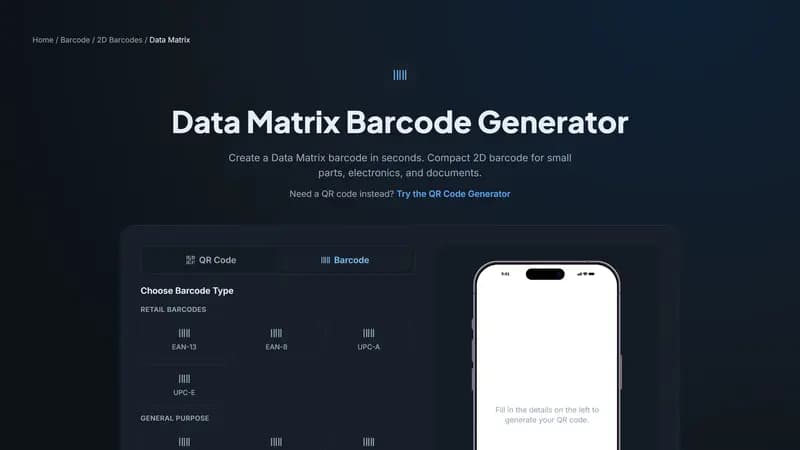
Generate a Data Matrix code above for small-part marking or GS1-structured healthcare labeling, or use the main QR Code Generator for anything consumer-facing — both are free with instant download.


Comments (0)
No comments yet — be the first.
Ready to make one of your own?
Free, no sign-up, and it works in your browser.
Try the Data Matrix Generator