How to Set Up a Barcode System for Small Business Inventory
You don't need enterprise software or a GS1 registration to start barcoding inventory properly — just a consistent system and the right free tools.
Why small businesses put off barcoding — and why it's easier than it looks
Barcoding inventory sounds like something that requires enterprise software, a GS1 registration, and dedicated hardware — for retail products sold through outside stores, parts of that are true. But for internal inventory tracking (your own stockroom, warehouse, or asset list), you can set up a working barcode system with free tools and a spreadsheet, no GS1 registration or special software required.
Pick a format: Code 128 is the right default
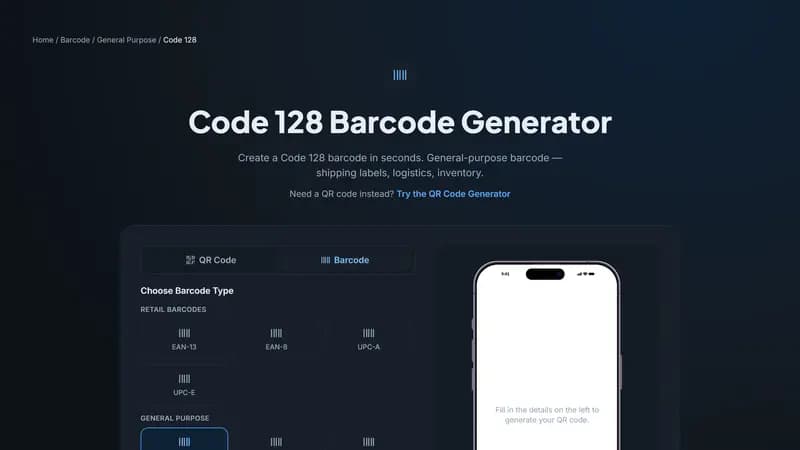
For internal inventory that never gets scanned by an outside retailer's system, Code 128 is almost always the right choice — it encodes any letters, numbers, and most symbols, it's compact, and it's supported by essentially every barcode scanner and inventory app made in the last two decades. You don't need EAN-13 or UPC-A unless you're selling through external retail channels that require them.
Design your own item code structure
Since Code 128 doesn't dictate a specific numbering scheme (unlike EAN-13/GTIN), you get to design your own structure — a common and effective approach is a short prefix for category, followed by a sequential number, like FUR-00042 for the 42nd item in a "furniture" category, or ELEC-00187 for electronics. Keep it consistent and documented somewhere your whole team can reference, since the scheme only helps if everyone follows it the same way.
What to actually put on the label
Beyond the barcode itself, print the human-readable item code as text underneath it (most barcode generators do this automatically), plus a short item name or description — this matters because a barcode that fails to scan (damaged, dirty, poor lighting) still needs to be usable by someone reading it manually.
Choosing a scanner
You don't need dedicated hardware to start — most inventory and spreadsheet apps can accept barcode input from a smartphone camera using a free scanning app, which is enough for a small operation. As volume grows, a dedicated USB or Bluetooth laser scanner (inexpensive and widely available) speeds up high-volume scanning sessions and doesn't need to be pointed as precisely as a phone camera.
Connecting it to a spreadsheet or inventory system
The simplest possible system: a spreadsheet with a column for your item code, and a barcode scanner set up to type directly into a cell (most scanners do this by default, acting like a keyboard). Scanning an item's barcode instantly fills in its code, letting you look up or update quantities without manual typing errors. As you outgrow a spreadsheet, most small-business inventory software accepts Code 128 scans directly, using the same numbering scheme you've already established.
Printing labels affordably
For a small number of labels, PNG or PDF output printed on adhesive label sheets from a regular printer works fine. For ongoing, larger-volume labeling, a dedicated thermal label printer (inexpensive, no ink or toner required) pairs well with SVG or PDF barcode exports for crisp, scan-reliable output at any label size.
Handling variants, bundles, and kits
Product variants (different sizes or colors of the same base item) should each get their own distinct code, exactly as a retail GTIN would require — resist the temptation to reuse one code across variants "to keep things simple," since that defeats the entire purpose of barcoding and will cause inventory counts to become unreliable almost immediately. For bundles or kits assembled from other inventory items, decide upfront whether the bundle gets its own code (simpler for sales tracking) or whether you'll scan each component separately (more accurate for component-level stock levels) — and apply that decision consistently.
Auditing and cycle counting with barcodes
Once inventory is barcoded, periodic cycle counts (scanning a subset of your inventory on a rotating schedule rather than a full annual count) become dramatically faster and more accurate than manual counting, since a scan eliminates the transcription errors that come from reading and writing down codes by hand. Many small businesses find that barcoding pays for itself specifically through more accurate, less time-consuming counting, even before considering the sales or fulfillment speed benefits.
When it's time to move beyond a spreadsheet
A spreadsheet-based system works well up to a few hundred SKUs and a handful of people accessing it, but starts to strain once multiple people need simultaneous access, or you need real-time stock levels across multiple locations. At that point, dedicated inventory management software — which typically imports your existing barcode scheme directly — becomes worth the switch, without requiring you to re-label anything you've already barcoded with a sound Code 128 system.
Real-world example: setting up a stockroom from scratch
Say you're barcoding a 200-item stockroom for the first time: start with a spreadsheet listing every item, assign each a category prefix and sequential number (ELEC-00001 through ELEC-00047, FURN-00001 through FURN-00153, for instance), generate all 200 Code 128 barcodes in a batch, print them on adhesive label sheets, and apply them to physical shelving or bins rather than individual loose items where practical. A single afternoon is usually enough to fully barcode an inventory this size, and the accuracy improvement over manual tracking is typically noticeable within the first week of use.
Labeling shelves and bins vs. individual items
For inventory where individual units are hard to label directly (loose small parts, bulk materials) or where item-level tracking isn't necessary, barcoding the storage location (a shelf, bin, or drawer) rather than each item is often more practical — you scan the location and manually adjust the quantity, rather than scanning every individual unit. Reserve item-level barcoding for higher-value or individually trackable goods where knowing the exact unit's history actually matters.
Frequently asked questions
Do I need a barcode scanner, or can I type codes manually? A scanner isn't strictly required — you can type codes manually — but doing so defeats much of the speed and accuracy benefit barcoding provides, since manual entry reintroduces exactly the typo risk barcoding exists to eliminate.
Can I reuse an old item's barcode for a new product?
It's technically possible but not advisable — historical records, past sales data, and any existing labels referencing the old code can create confusion if the same code later means something different. Retire old codes rather than reassigning them.
What's the cheapest way to start barcoding a small inventory?
Generate Code 128 barcodes online for free, print them on adhesive label sheets from a standard printer, and use a free smartphone scanning app paired with a spreadsheet — this entire starting setup costs nothing beyond label sheets.
Measuring whether barcoding actually helped
After a month or two of using a new barcode system, compare your inventory count accuracy and time spent on stocktaking against your previous manual process — most small businesses see a measurable drop in miscounts and a significant time savings during counts, which is worth tracking concretely rather than just assuming the switch helped. If accuracy hasn't improved, the most common culprit is inconsistent scanning discipline (some items still tracked manually) rather than a problem with the barcode system itself.
Expanding the system as the business grows
A barcode scheme designed with a bit of headroom from the start — category prefixes with room for more than your current item count, for instance — scales far more gracefully than one that assumed a fixed, small inventory size. If you're setting this up today, err on the side of a slightly more structured numbering scheme than you strictly need right now, since retrofitting a numbering convention onto an already-labeled inventory is considerably more work than planning a bit of growth room upfront.
A quick summary before you start labeling
Code 128 as the default format, a documented category-plus-sequence numbering scheme, a small test batch before full labeling, and a scanner or free phone app to start — no GS1 registration or enterprise software needed for purely internal inventory tracking.
Revisiting your system after the first few months
Once your barcode system has been running for a few months, revisit your original numbering scheme and check whether any categories are running low on available numbers, or whether new product lines don't fit cleanly into the original structure — small adjustments are much easier to make early than after a much larger inventory has been labeled under a scheme that's started to strain at the edges. Involve whoever does the actual daily scanning in this review, since they'll notice practical friction points a purely administrative review might miss, from awkward label placement to categories that no longer map cleanly to how stock is actually organized.
How barcoding pays for itself beyond just accuracy
Beyond reduced miscounts, barcoding a small business's inventory typically speeds up routine tasks meaningfully — receiving new stock, fulfilling orders, and running a stocktake all take noticeably less staff time once scanning replaces manual lookup and data entry. For a small operation, this time savings often matters as much as the accuracy improvement, particularly during busy periods where staff time is the tightest constraint, and the cumulative hours saved across a full year of daily operations typically far exceed the modest upfront setup effort required to get started properly.
Barcoding for service businesses, not just physical products
Barcoding isn't limited to businesses selling physical goods — service businesses use the same Code 128 approach to tag equipment for maintenance schedules, track rental items during checkout and return, or manage document filing systems where each folder or file gets a scannable ID. The underlying principle (a consistent, scannable identifier reducing manual data entry and errors) applies just as well to a piece of rental equipment or a client file as it does to a retail product.
A final practical note on getting buy-in from your team
A barcode system only delivers its accuracy and speed benefits if people actually use it consistently — introducing it alongside a brief explanation of why it's being adopted (fewer stocktake errors, faster receiving, less manual typing) tends to get better sustained adoption than simply handing out scanners with no context. Small teams in particular benefit from a short, informal walkthrough of the new process during the first week, catching confusion early rather than letting inconsistent habits set in that become much harder to correct once they've become routine.
Integrating barcoding with a point-of-sale system
If your small business also sells directly to customers rather than only managing internal inventory, most point-of-sale software accepts the same Code 128 barcodes you've already generated for inventory tracking, letting a single barcode serve double duty — inventory management on the back end, checkout scanning on the front end — rather than maintaining separate numbering systems for each purpose. Confirm your specific POS software's barcode requirements before assuming full compatibility, since some retail-focused POS platforms expect GS1-standard EAN/UPC codes specifically for sellable items even while accepting Code 128 for internal-only stock.
Common pitfalls first-time barcode adopters run into
The most frequent early mistake is starting to barcode without first deciding a numbering convention, generating ad hoc codes item by item and ending up with an inconsistent, hard-to-extend system within a few months. A close second is skipping the test-batch step and discovering a systematic print or scan issue only after a large batch of labels is already applied to inventory. Both are easily avoided by spending an hour planning the numbering scheme and running a small test batch before committing to full-scale labeling.
Getting started
Decide your item code structure, generate your first Code 128 barcode above using that code, print a test label, and scan-test it with whatever scanner or app you plan to use before labeling your full inventory.


Comments (0)
No comments yet — be the first.
Ready to make one of your own?
Free, no sign-up, and it works in your browser.
Try the Code 128 Generator