Custom QR Code Design: Rounded, Dotted, and Framed Styles Explained
A generic black-and-white square gets ignored. Here's how to give your QR code a shape that matches your brand without breaking scannability.
Why the default QR code look holds brands back
Every QR code encodes the same kind of grid of black and white squares by default. That's great for compatibility, but it also means a code on your storefront window looks identical to one on a parking ticket or a spam flyer. People have learned to be a little wary of QR codes precisely because most of them look the same and give no visual cue about who put them there.
Changing the shape and color of your QR code — while keeping it scannable — is one of the simplest ways to signal 'this is safe, this is us' before someone even scans it.
The building blocks of a custom QR code
A QR code's design breaks down into a few independent pieces you can customize separately: the shape of the individual data modules (the small squares that make up the pattern), the shape of the three corner 'eye' markers scanners use to orient the code, the foreground and background colors, an optional logo in the center, and an optional call-to-action bar underneath, like a 'SCAN ME' label.
You don't need to touch all of them. Even just switching from sharp squares to rounded modules, or adding your brand color as the foreground, makes a code feel intentional instead of generic.
Rounded vs. dotted vs. classic — which should you pick?
Classic square modules are the safest choice for small print sizes, low-quality printing, or anywhere scan reliability matters most — think shipping labels or medical packaging.
Rounded modules soften the look without changing much else, and read just as reliably as classic squares at any size — a good default for most brand use cases.
Dot-pattern modules give a code a distinctly playful, modern feel. They scan reliably too, but because the dots don't touch at the corners, we render them slightly larger than you might expect to guarantee they hold up — that's a deliberate reliability tradeoff, not a bug.
Should you add a 'SCAN ME' frame?
A short call-to-action bar under your QR code — 'SCAN ME', 'VIEW MENU', 'FOLLOW US' — removes any ambiguity about what scanning does. On printed material especially, that little bit of context measurably increases scan rates, since not everyone recognizes a bare QR code as something worth pointing a camera at.
It costs you a bit of vertical space, which is the only real tradeoff. For posters, table tents, and packaging where you have the room, it's almost always worth including.
The one rule that matters more than style: test the scan
Whatever style you choose, always scan-test the final code — ideally the actual printed version — before mass production. Shapes that look reliable on screen can behave differently once ink spreads slightly on paper or the print size shrinks. On FreeOnlineQR, every style we offer has already been through an automated decode test at multiple sizes and with a logo added, which is why a few visually interesting but less reliable shapes (like sharp diamond modules) simply aren't offered as options — we'd rather a style not exist than exist and sometimes fail.
Beyond shape: gradients, a color wheel, and print-ready export formats
Custom design isn't just module shape anymore. You can now pick an accent color for just the corner eyes, apply a gradient across the foreground, and fine-tune your exact shade with an interactive color wheel instead of guessing at a hex code.
For printing, PNG and SVG cover most needs, but professional print shops and packaging suppliers often ask for PDF or EPS specifically. Both are now available as direct downloads alongside PNG and SVG — no separate conversion tool required.
Try it yourself
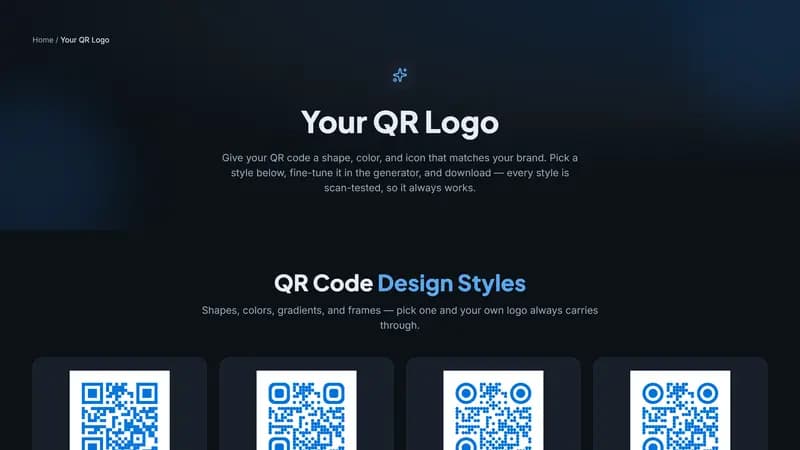
You can preview every supported style, apply your own colors and logo, and download instantly on the Your QR Logo page — no account required to try it, and no watermark on the download.


Comments (0)
No comments yet — be the first.
Ready to make one of your own?
Free, no sign-up, and it works in your browser.
Browse styles on Your QR Logo